


- SSM4U is SSM's single sign-on website for its online systems, such as EzBiz and MBRS, open 24 hours a day.
- SSM says all its customers are required to register as SSM4U users; each account is either a General user or a Verified user.
- An unverified SSM4U account reaches only non-core services; activation (verification) opens core services such as EzBiz, MyLLP and MBRS.
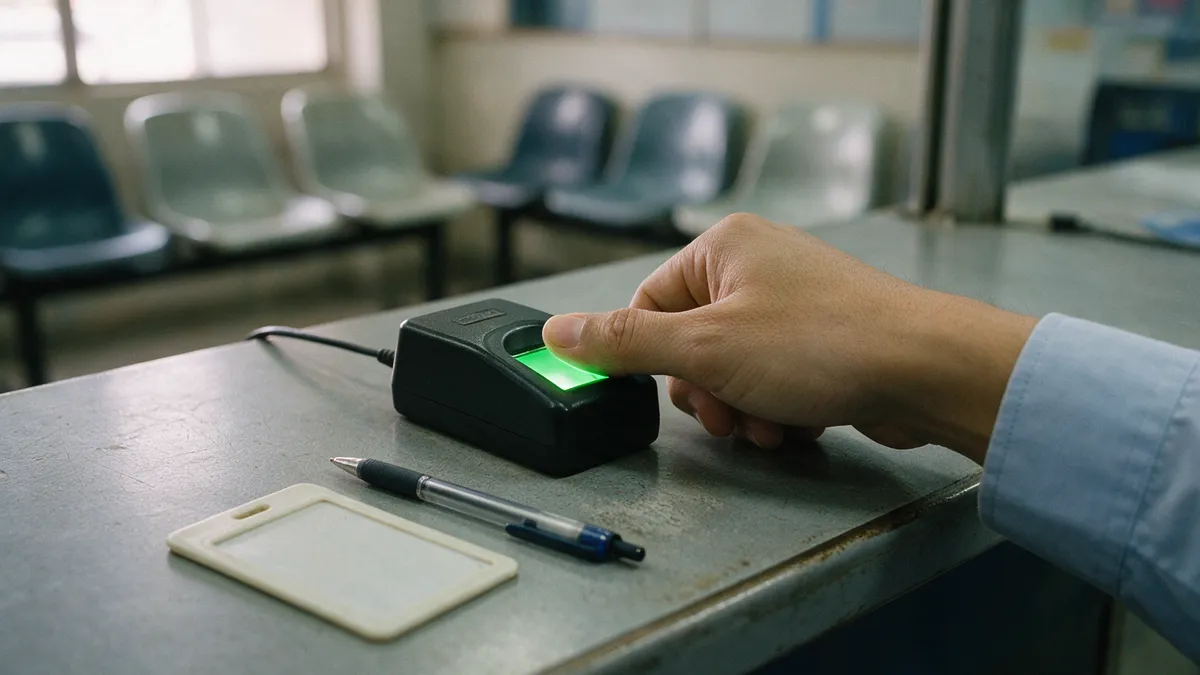
- There are three routes to activate SSM4U: an SSM counter, a Tap.It kiosk (both with the card and a thumbprint) or online with documents.
- Foreigner National ID users activate SSM4U online only, and SSM processes an online application within three working days.
What is SSM4U?
SSM4U is the website of SSM (Suruhanjaya Syarikat Malaysia, the Companies Commission of Malaysia) that gives one login to its online systems. SSM describes it as a "one stop website where all SSM systems are accessible at once, with just a single-sign-on for each SSM system user", open 24 hours a day, seven days a week, and the landing page for EzBiz, MyCoID, MBRS, MyLLP, XCESS and DCTC.
Every SSM customer needs an SSM4U account. SSM's About page says: "All SSM customers are required to register as SSM4U users where their user profiles will be categorized as either 'General users' or 'Verified users'."
SSM4U is SSM's own service. Safeguards KioskMedia (M) Sdn. Bhd., which runs the Tap.It self-service kiosk network, offers one step of it: verifying (activating) an account at a kiosk.
What does activating SSM4U unlock?
Activation turns a General user into a Verified user, and that decides which SSM systems the login reaches. SSM's SSM4U user manual says "Unverified users can only access non-core services", while verified users reach core and non-core services.
- General user
- Non-core onlyXCESS, DCTC Reader & Checker, e-Search, e-Compound, e-Query, Striking Off.
- Verified user
- Core as wellEzBiz, MyLLP, e-BOS, MBRS, i-Fast and others, plus non-core services such as XCESS, e-Search and e-Compound.
- EzBiz users
- Citizens and PRsMalaysian citizens or Malaysian Permanent Residents, aged 18 years and above (SSM knowledge hub).
- How often
- Once"Activation only needs to be done once" (SSM knowledge hub, EzBiz Online account).
SSM's knowledge hub adds that "The activation of the Ezbiz Online user account can be carried out at SSM counters as well as at Kiosk Tap.It." Renewing a business once EzBiz is open is covered in how to renew a business registration (ROB) in Malaysia, and renewing at a kiosk in business renewal at a Tap.It kiosk.
How do you register an SSM4U account?
Registration comes before activation, and it is done online on ssm4u.com.my. SSM's user manual lists these steps for a local user; a foreign user picks 'Foreigner National ID' as the ID type and enters passport details as the Secondary ID, since SSM says "Passport information is required to use the SSM4U core system".
- Register NowOn ssm4u.com.my, click 'Register Now'.
- Your detailsName, email address, ID number and ID type: MyKAD, MyPR, MyKAS or MyTentera.
- PasswordCreate a password on the 'User Profile Registration' page and tick the Terms & Conditions.
- RegisterClick 'Register', then 'OK'; a 'Registration Success' message appears.
- Verify the emailConfirm the address from the verification email SSM sends. The account exists, but is not yet verified.
Keep the email address and password you set: you log in with them after activation, whichever route you use.
Which SSM4U activation route suits you: kiosk, counter or online?
A local card holder can choose any of the three routes; a Foreigner National ID user has only the online one. SSM's user manual says local users "may verify their accounts through the following methods: a) By visiting the nearest SSM counter in person; or b) Via the Tap.it Kiosk", and SSM's knowledge hub lists online activation as well.
| Route | Who can use it | What you bring | How it is verified | Result |
|---|---|---|---|---|
| Tap.It kiosk | MyKAD, MyPR, MyKAS or MyTentera holders | The card | Thumbprint scan at the kiosk | Shown on the kiosk screen; no charge at the kiosk |
| SSM counter | MyKAD, MyPR, MyKAS or MyTentera holders | The card | Thumb on the card reader | SSM emails a confirmation |
| Online | Foreigner National ID users (required); MyKad holders may also apply | Documents such as a selfie image and a supporting document | SSM reviews the application | Within 3 working days; status turns 'Verified' |
At a Tap.It kiosk, SSM4U activation costs nothing. Safeguards KioskMedia does it at no charge, as corporate social responsibility. You choose SSM, then SSM4U Activation, insert the card, scan your thumbprint and confirm your details; the kiosk steps, one by one, are on the kiosk service page. On its kiosk list of 15 October 2026 there were 429 locations with SSM services at 414 addresses, each offering business renewal, compound payment and SSM4U activation: see Tap.It locations with SSM services and the other SSM services at Tap.It kiosks.
Can you activate SSM4U at an SSM counter instead?
Yes. A local card holder can verify the account in person at an SSM counter. SSM's user manual says the identification card must be presented for fingerprint verification and the user places a thumb on the card reader. After a successful fingerprint check, SSM sends an email confirming that the SSM4U account has been verified, and the account can then be used with the registered email address and password.
The counter and the kiosk reach the same result: a Verified account.
Can a Malaysian activate SSM4U online instead?
Yes. SSM's knowledge hub lists two options for activating an account, "Counter (Using MyKad Reader)" and "Online". Online, you log in to SSM4U, click 'Verify Now', upload documents such as the MyKad, a selfie image and a supporting document such as an electricity bill or a driving licence on the 'User Activation Detail' page, and click 'Submit'. SSM says an online application is processed within 3 working days, and the account status changes to 'Verified' once it is approved.
How do foreign users activate SSM4U?
Online. SSM's user manual says users registered under the ID type 'Foreigner National ID' "are required to activate their SSM4U account via online". After the email address is verified, the user logs in, clicks 'Verify Now', attaches the required documents on the 'User Activation detail' page and clicks 'Submit'.
SSM processes an online activation within three working days. The status can be checked with the 'User Activation Status' button, and SSM emails the user when the application is queried, rejected or approved. A queried application can be resubmitted with the changes the officer asks for. Once approved, the status 'Verified' appears on the customer dashboard.
What if the details at the kiosk are wrong?
Do not confirm them. SSM's user manual says: "If there are any errors in the displayed information, customers may contact the SSM officer at the counter for assistance." That means an officer at an SSM counter, so a Tap.It kiosk away from an SSM office cannot fix the details on the spot. For help with the kiosk itself or a kiosk transaction, the Tap.It WhatsApp hotline is 03-2935 9359.
Questions about SSM4U activation
Can I activate SSM4U at a Tap.It kiosk with a foreign passport?
No. SSM's SSM4U user manual says users registered under the ID type 'Foreigner National ID' are required to activate their SSM4U account online, with the documents the activation page asks for. The kiosk and the SSM counter route is for local users with a MyKAD, MyPR, MyKAS or MyTentera card.
How long does online SSM4U activation take?
SSM says it processes an online activation application within three working days. SSM sends an email when an application is queried, rejected or approved, and once it is approved the account status changes to 'Verified' on the SSM4U customer dashboard. A queried application can be resubmitted.
How do I check my SSM4U activation status?
Log in to SSM4U with your email address and password. SSM's user manual says the dashboard shows 'Unverified' or 'Verified', and an online application can be followed with the 'User Activation Status' button. If you are not sure you ever registered, the Help menu has 'Check Registration Status', which asks for your ID type, ID number and name.
What if my online SSM4U activation is queried or rejected?
SSM emails you when an online activation application is queried, rejected or approved. Log in and open 'User Activation Request' to read the comments from the SSM officer, then resubmit the application based on the queried comment, as SSM's user manual describes. A local card holder can also go to an SSM counter or a Tap.It kiosk instead.
What can an unverified SSM4U account do?
SSM's user manual says unverified users can only access non-core services, such as XCESS, DCTC Reader & Checker, e-Search, e-Compound, e-Query and Striking Off. Core services such as EzBiz, MyLLP, e-BOS, MBRS and i-Fast need a verified account, so an unverified SSM4U account cannot be used to renew a business on EzBiz until it is activated.
Sources
- SSM, SSM4U About page (ssm4u.com.my): the one stop website, single sign-on, 24 hours a day, the systems it lands on, General and Verified users, its functions (read 31 Oct 2026).
- SSM, SSM4U User Manual (PDF, ssm.com.my): account registration, verification at an SSM counter and at a Tap.It kiosk, online activation for Foreigner National ID users, the three working days, the activation status, and what unverified and verified users can reach (read 31 Oct 2026).
- SSM knowledge hub (crmsv.ssm4u.com.my): KB 10161, activation of the EzBiz Online user account at SSM counters and Kiosk Tap.It; KB 10159, EzBiz Online user requirements; KB 10220, SSM4U account activation options (read 31 Oct 2026).
- Safeguards KioskMedia: SSM4U activation at no charge at Tap.It kiosks; its kiosk list of 15 October 2026 (429 locations with SSM services at 414 addresses).
Last checked against SSM's published pages on 31 October 2026.
Activate your SSM4U account at a Tap.It kiosk. Register on ssm4u.com.my first, then find a kiosk listed with SSM services, choose SSM and then SSM4U Activation on the screen. For help with a Tap.It kiosk, WhatsApp the Tap.It hotline on 03-2935 9359; for partnerships or corporate enquiries, contact Safeguards KioskMedia at sales@kioskmedia.com.my.